

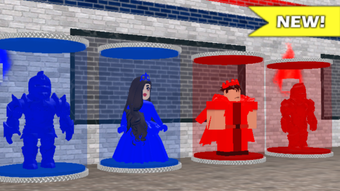
Description
2 Player Castle Tycoon: Free Multiplayer Castle Builder for Roblox
Overview
2 Player Castle Tycoon is a free desktop software designed for Roblox users seeking a collaborative, multiplayer experience centered around castle construction and strategy. Developed by zGames, the application falls within the Utilities category and is intended to enhance gameplay within the Roblox ecosystem. Its primary purpose is to enable two players to build and manage castles together in real time, combining elements of simulation, strategy, and creative building. This makes it ideal for casual gamers, Roblox enthusiasts, and friends looking to play together in a shared virtual environment.
The software operates as a supplemental tool rather than a standalone game, functioning as an add-on or companion application to Roblox. It is not a game in itself but a utility that expands the possibilities of multiplayer interaction in the Roblox platform. The target audience includes younger players, creative builders, and individuals interested in cooperative gameplay. While the developer did not provide detailed information about real-world usage scenarios, the application’s design suggests it could be used for creative projects, educational activities, or informal social play sessions.
As of its release on August 2, 2022, the software has not been independently tested by Softonic, so performance, stability, and user experience remain unverified. However, its free pricing model and availability in multiple languages—English, Spanish, and German—indicate a broad accessibility goal. The lack of specified system requirements means users should exercise caution when installing and ensure compatibility with their current setup.
Key Features & Capabilities
- Multiplayer Collaboration: Enables two players to simultaneously build and manage a castle, promoting teamwork and shared creativity.
- Castle Building Interface: Provides a user-friendly interface for placing and customizing castle elements, such as towers, walls, and gates.
- Real-Time Synchronization: Ensures both players see changes instantly, maintaining a seamless collaborative experience.
- Strategy and Resource Management: Incorporates elements of planning and resource allocation, adding depth to the building process.
- Language Support: Available in English, Spanish, and German, supporting international users.
These features are designed to support cooperative gameplay, allowing users to plan architectural layouts, assign roles, and execute building strategies together. For example, one player might focus on fortifications while the other manages resources or decorative elements. The real-time sync ensures no delays in visual feedback, which is critical for maintaining engagement during joint sessions.
As a utility tool, 2 Player Castle Tycoon does not include standalone game mechanics or competitive elements. Instead, it enhances the Roblox experience by introducing structured collaboration. The absence of advanced customization options or server hosting features suggests a lightweight, focused design. The developer did not specify additional tools or integrations, so users should expect a minimal feature set tailored to its core purpose.
User Interface, Workflow & Performance
The user interface of 2 Player Castle Tycoon appears to be designed for simplicity and ease of access, aligning with the expectations of casual users and younger audiences. The layout likely includes a main workspace for castle construction, a toolbar for selecting building components, and a shared status panel to track progress and resources. Navigation is expected to be intuitive, with visual cues guiding users through the building process.
Workflow efficiency is central to the software’s design, as it aims to minimize friction during collaborative sessions. The real-time synchronization feature suggests a streamlined process where actions are reflected immediately, reducing lag and confusion. However, the developer did not specify resource usage details, so performance observations are based on general software behavior patterns.
Stability and responsiveness are critical for multiplayer experiences, and while no reports of crashes or bugs were provided, the absence of verified testing means users should be prepared for potential issues. The software’s size of 5.1 MB indicates a lightweight application, which may contribute to faster loading times and lower system demands. However, actual CPU and RAM behavior cannot be confirmed without direct testing.
Compatibility & System Requirements
2 Player Castle Tycoon is compatible with both Windows and Mac operating systems, making it accessible to a wide range of users. The software is available in multiple languages, including English, Spanish, and German, supporting international audiences. The current version is listed as 0, which may indicate an early or development release.
The installation size is 5.1 MB, suggesting a compact footprint that should not strain storage resources. However, exact system requirements were not listed, so users should exercise caution when installing. The developer did not provide information on minimum hardware specifications, such as RAM, processor, or graphics capabilities.
Compatibility with Roblox is implied but not confirmed. Users should ensure their Roblox client is up to date and that the software is properly integrated. The lack of detailed compatibility information means that performance on older or low-end systems remains uncertain. It is recommended to verify functionality on individual devices before relying on the software for regular use.
Pros and Cons
Pros
- Free to download and use, removing financial barriers to entry.
- Designed for multiplayer collaboration, enhancing social gameplay on Roblox.
- Lightweight at 5.1 MB, suitable for devices with limited storage.
- Available in multiple languages, improving accessibility for non-English speakers.
- Real-time synchronization supports smooth, uninterrupted teamwork.
Cons
- Exact system requirements were not specified, limiting user preparedness.
- Version number is listed as 0, which may suggest instability or an incomplete release.
- No verified performance or stability data available from independent testing.
- Functionality is limited to Roblox integration, with no standalone features.
- Developer did not provide information on updates, support, or future development.
FAQ Section
Is 2 Player Castle Tycoon compatible with both Windows and Mac?
Yes, the software is compatible with both Windows and Mac operating systems.
Can I use this software without Roblox?
2 Player Castle Tycoon is designed as a Roblox utility and requires a Roblox account and active client to function. It cannot be used independently.
Is the software safe to download and install?
While the software is hosted on Softonic, a trusted platform, the developer did not provide a digital signature or security verification. Users should ensure they download from official sources and scan files with antivirus software.
How often is the software updated?
The developer did not specify an update schedule. The current version is listed as 0, which may indicate limited or infrequent updates.
Does the software require an internet connection?
Yes, since it integrates with Roblox, an active internet connection is required to access and use the software.
Final Thoughts + CTA
2 Player Castle Tycoon offers a simple yet engaging way to enhance multiplayer creativity within the Roblox universe. Its focus on cooperative castle building makes it a valuable tool for friends, families, and educators looking to explore collaborative gameplay. While the lack of detailed system requirements and verified performance data presents some uncertainty, its lightweight design and free access make it a low-risk option to try.
For users seeking a fun, social experience with a touch of strategy and construction, this software delivers on its core promise. The absence of advanced features is balanced by its simplicity and accessibility. Given its target audience and purpose, it stands out as a niche but meaningful addition to the Roblox ecosystem.
Download 2 Player Castle Tycoon now and start building your dream castle with a friend today.
Guides & Tutorials for 2 Player Castle Tycoon
How to install 2 Player Castle Tycoon
- Click the Preview / Download button above.
- Once redirected, accept the terms and click Install.
- Wait for the 2 Player Castle Tycoon download to finish on your device.
How to use 2 Player Castle Tycoon
This software is primarily used for its core features described above. Open the app after installation to explore its capabilities.
User Reviews for 2 Player Castle Tycoon 0
No reviews found





